 Transcribe Anything
For Mac · on-device speech AI
Transcribe any audio or video on your Mac. 100% on-device, private, offline.
Recordings, videos and links to online videos become text in seconds, and nothing is ever uploaded. Try it free in your browser, or get the Mac app for long files, whole folders and subtitles.
 $7.99 once. No subscription, no account.
- Nothing uploaded
- Works offline
- 100 languages
- No tracking in the app
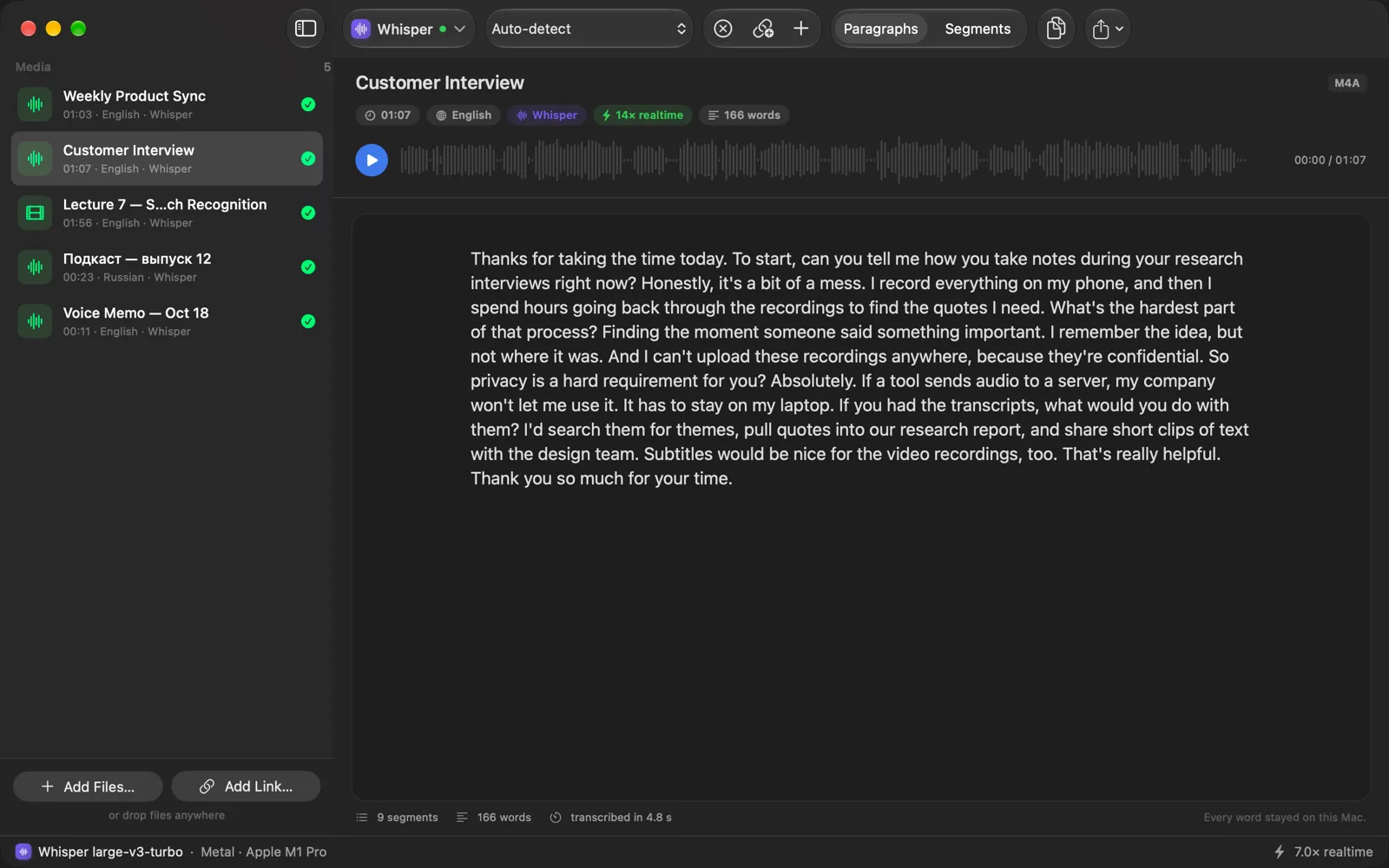
A transcript you can actually read
Clean paragraphs or timestamped segments, a waveform and playback for every file, and the speed of every run in the status bar.
Features
Everything happens on your Mac
Three speech engines, every common format, and exports for documents and subtitles.
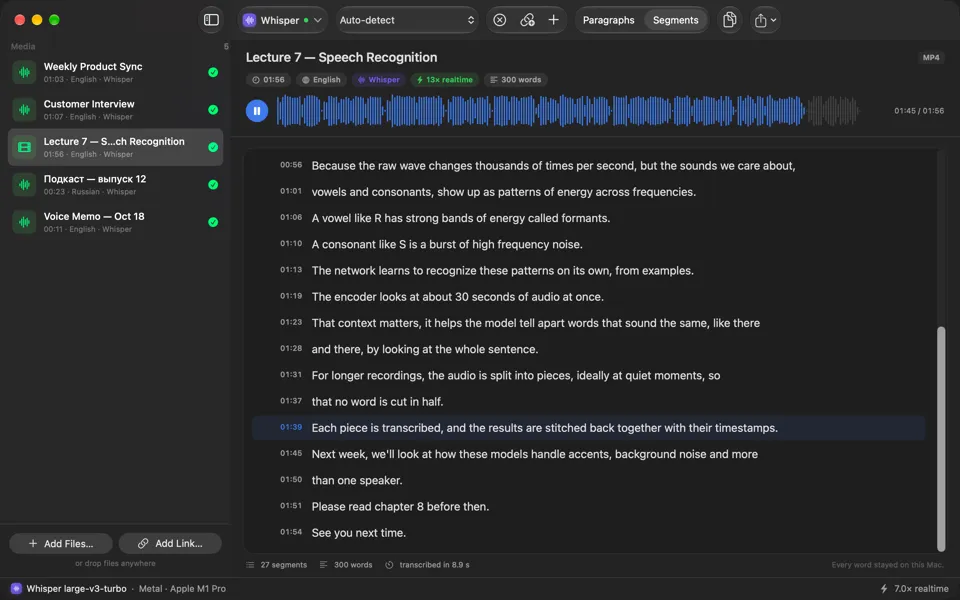
Click any line to hear it.
Read the transcript as paragraphs, or as timestamped segments. Click a time and the app plays that moment, so checking a quote takes a second.
Three engines. 100 languages.
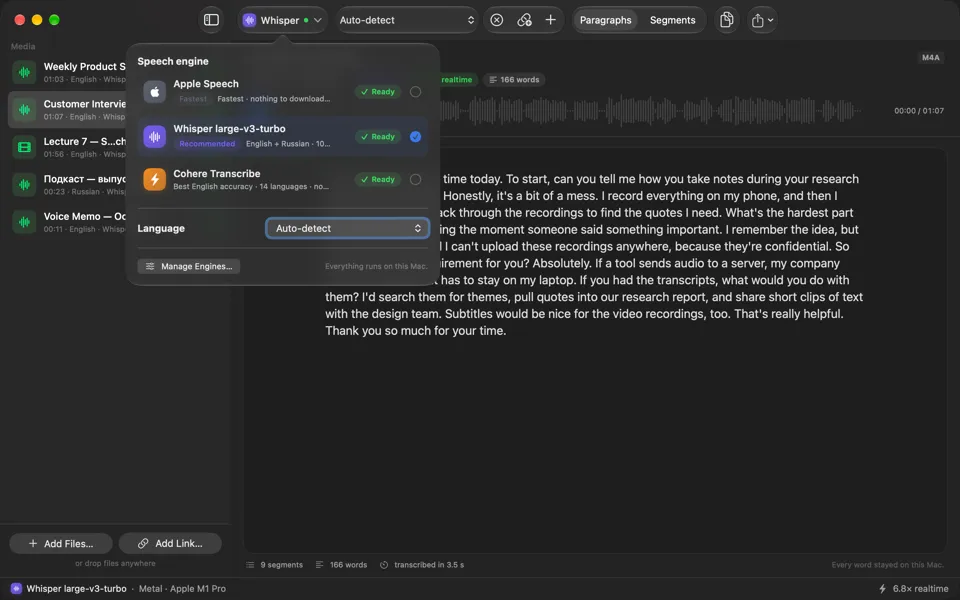
- Apple Speech: built into macOS 26 and later. The fastest, with the lowest memory use.
- Whisper large-v3-turbo (recommended): 100 languages, automatic language detection, runs on the GPU through Metal.
- Cohere Transcribe: the most accurate for English and 13 other languages.
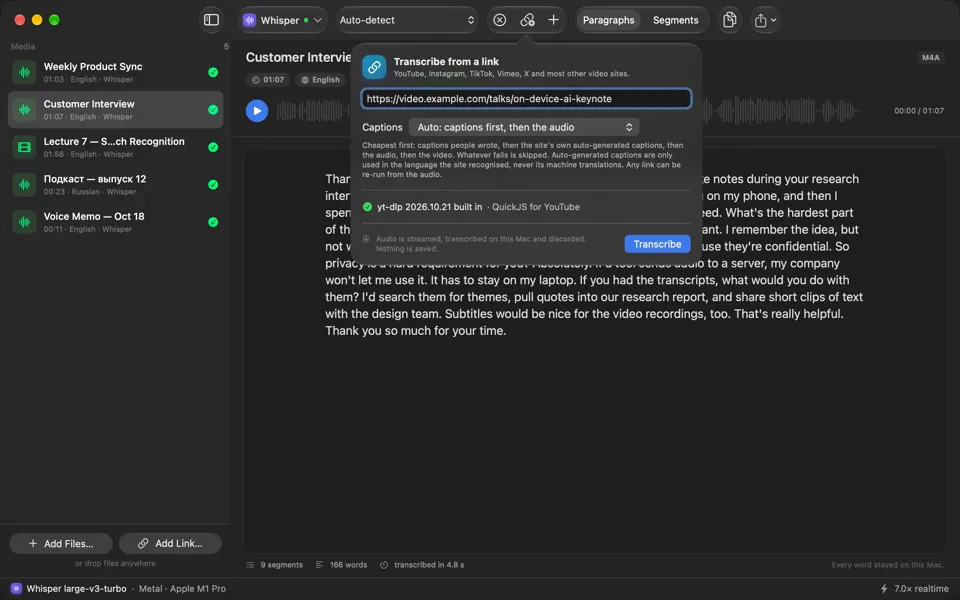
Paste a link. Get the transcript.
Paste a link to an online video. If the site already has captions, they become the transcript in seconds; otherwise only the sound is streamed, transcribed and deleted. The media is never saved, played or exported. Only the text stays.
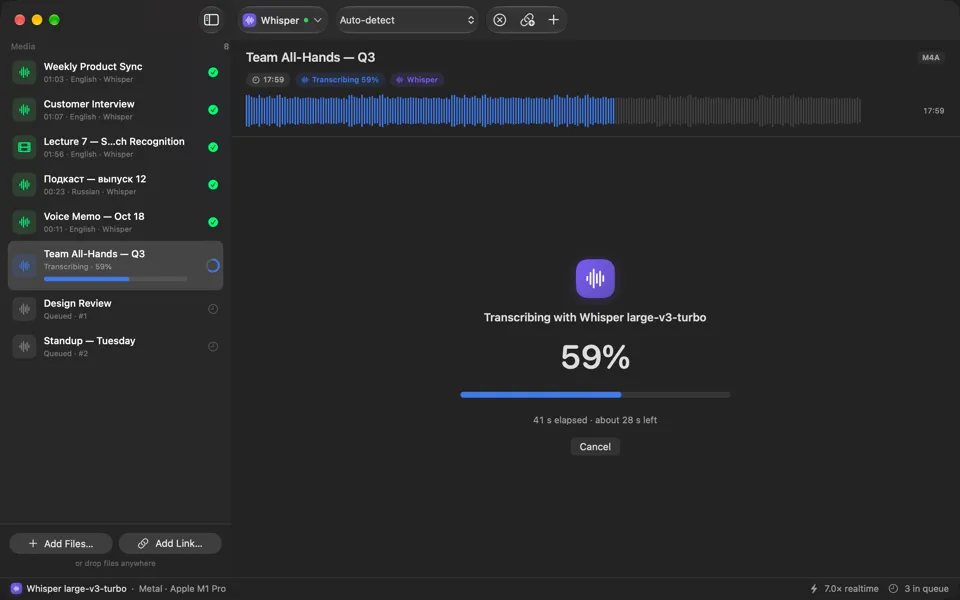
Drop a whole folder.
Drop files or whole folders onto the window. They queue and run one after another while you keep working, and the next file is prepared while the current one is still running.
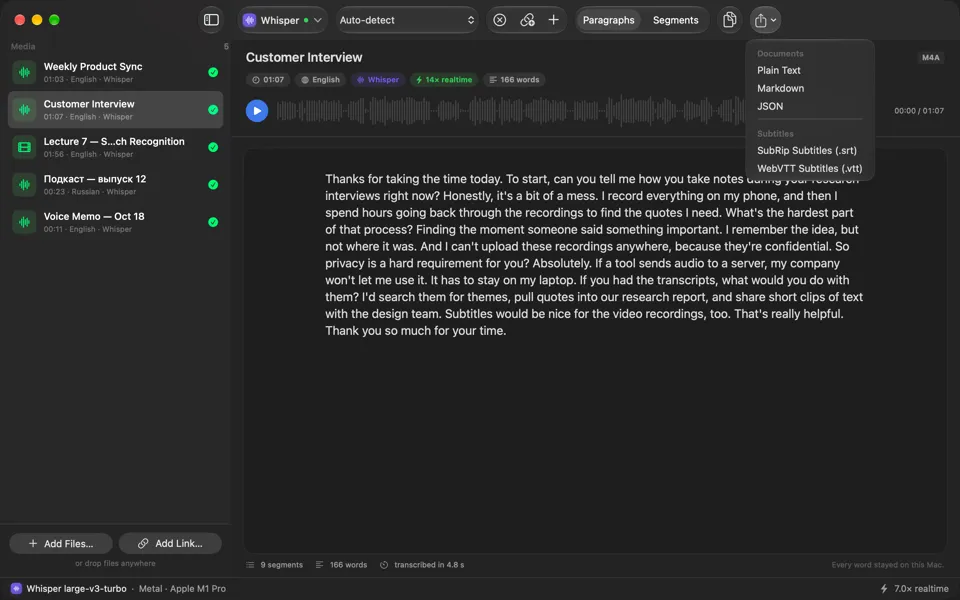
Export to text or subtitles.
Copy the whole transcript with one shortcut, or export Plain Text, Markdown, JSON, SubRip (.srt) or WebVTT (.vtt). Export every finished transcript into a folder at once. Subtitles are split into short, readable two-line cues.
How it works
Three steps, no account
Drop it in
Drop audio or video files, a whole folder, or paste a link to an online video.
Pick an engine
Apple Speech, Whisper or Cohere. Each runs on your Mac; switch any time from the toolbar.
Read, listen, export
Read paragraphs or segments, click to hear any line, then copy or export text and subtitles.
Supported formats
Anything your Mac can play goes in. Text and subtitles come out.
In
- MP3
- M4A
- WAV
- AIFF
- FLAC
- MP4
- MOV
- Video links
Out
- TXT
- Markdown
- JSON
- SRT
- VTT
Private by design
Your recordings never leave your Mac
Interviews, calls and lectures are often confidential. Transcribe Anything was built so that sending them to a server is never part of the deal.
No uploads
Transcription happens entirely on the device. Your files and transcripts stay where you put them.
No account
No sign-in, no subscription, no cloud. Buy it once and transcribe as much as you like.
No tracking
No analytics or crash reporting in the app. Its App Store privacy label is “Data Not Collected”.
Read the full privacy policy.
Pricing
Buy it once
One-time purchase on the Mac App Store. No subscription and no in-app purchases. Prices vary by country.
| Browser (free) | Mac app ($7.99) | |
|---|---|---|
| Length | Up to 5 minutes per file | Hours |
| Files | One at a time | A queue, or whole folders |
| Links to online videos | No | Yes |
| Engines | Whisper base or small | Apple Speech, Whisper large-v3-turbo, Cohere Transcribe |
| Exports | TXT, SRT | TXT, Markdown, JSON, SRT, VTT |
| Playback | No | Waveform, click any line to hear it |
| Where it runs | In your browser, on your device | On your Mac, offline |
Questions
Does it work offline?
Yes. Whisper and Cohere download their model once (0.9 GB and 2.4 GB) and then run without a connection. Apple Speech uses language packs that macOS manages. Only links to online videos need the internet, to reach the video.
Which languages does it support?
100 with Whisper, with automatic detection. Apple Speech's list depends on your macOS version and has no Russian. Cohere Transcribe supports 14 languages.
Which Macs does it run on?
Macs with Apple silicon and macOS 14 or later. The Apple Speech engine needs macOS 26 or later.
How fast is it?
On an M1 Pro, Apple Speech transcribes an hour of audio in under two minutes and Whisper in under seven.
Is it a subscription?
No. It's a one-time $7.99 purchase on the Mac App Store, with no in-app purchases.
Where do my recordings go?
Nowhere. They stay on your Mac. The free browser version works the same way: your file is read by the page and never uploaded.
How is the browser version different?
It runs a smaller Whisper model inside your browser, for files up to five minutes. The Mac app handles hours of audio, whole folders and links, and has three larger engines, playback and more export formats.
Turn your next recording into text.
$7.99 once. Everything stays on your Mac.